Digital tip to know when it's time to get new running shoes
By Michael Baker · July 17, 2025
Learn how to use Strava to track your running shoe mileage and get notifications when it's time to replace them for optimal performance and injury prevention.
Digital tip to know when it's time to get new running shoes: Track runs with Strava and add your sneakers to your account. I have talked about this in the past, but I wanted to expand on this feature because of how instrumental the right sneakers have been to my running. I never knew what to buy or when to replace them. Both of these issues are a long story, so I'll just stick to when to replace them. **When to replace your running sneakers:** I've done the research, and most sources agree you should replace running sneakers around 300–500 miles of use. In the past, you had to do a lot of work to know this information, or you'd just kind of wing it based on intuition. Most people let their shoes get worn far too long, after they're basically crushed. Eventually, this leads to a variety of potential issues with your feet, ankles, leg muscles, knees, and lower back. Strava has a feature (outlined in detail below) where you can add your sneakers, and for every run you track, it logs how far you've gone in them. When you enter them, you can also set a reminder to pop up at a specific number of miles. I set mine to 250 so I can check in and give myself time to get replacement sneakers and break them in. I like to walk around in them for a few weeks before taking them for a run. When I do take them for a run, the first one is always an "easy" run rather than a long, tempo, or interval run. Strava sent me an email at 411 miles, which was perfectly timed as I happened to be getting ready for an easy run/maiden voyage with my new sneakers and had forgotten to add them. I quickly went to my profile, added the new sneakers under "Gear," and retired the old ones. 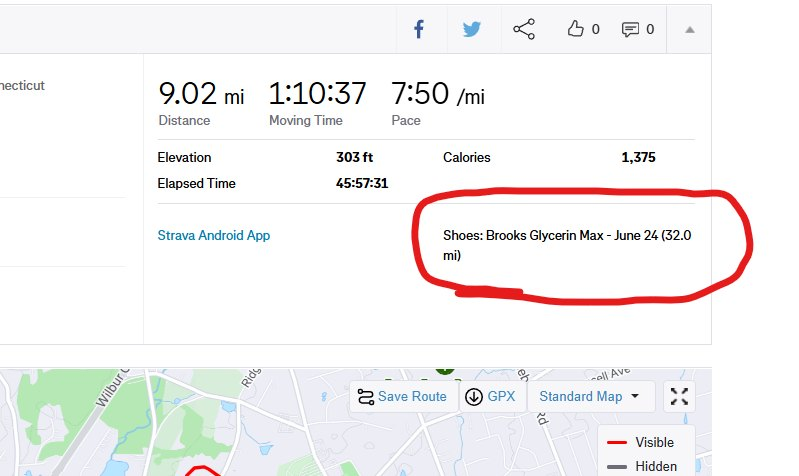 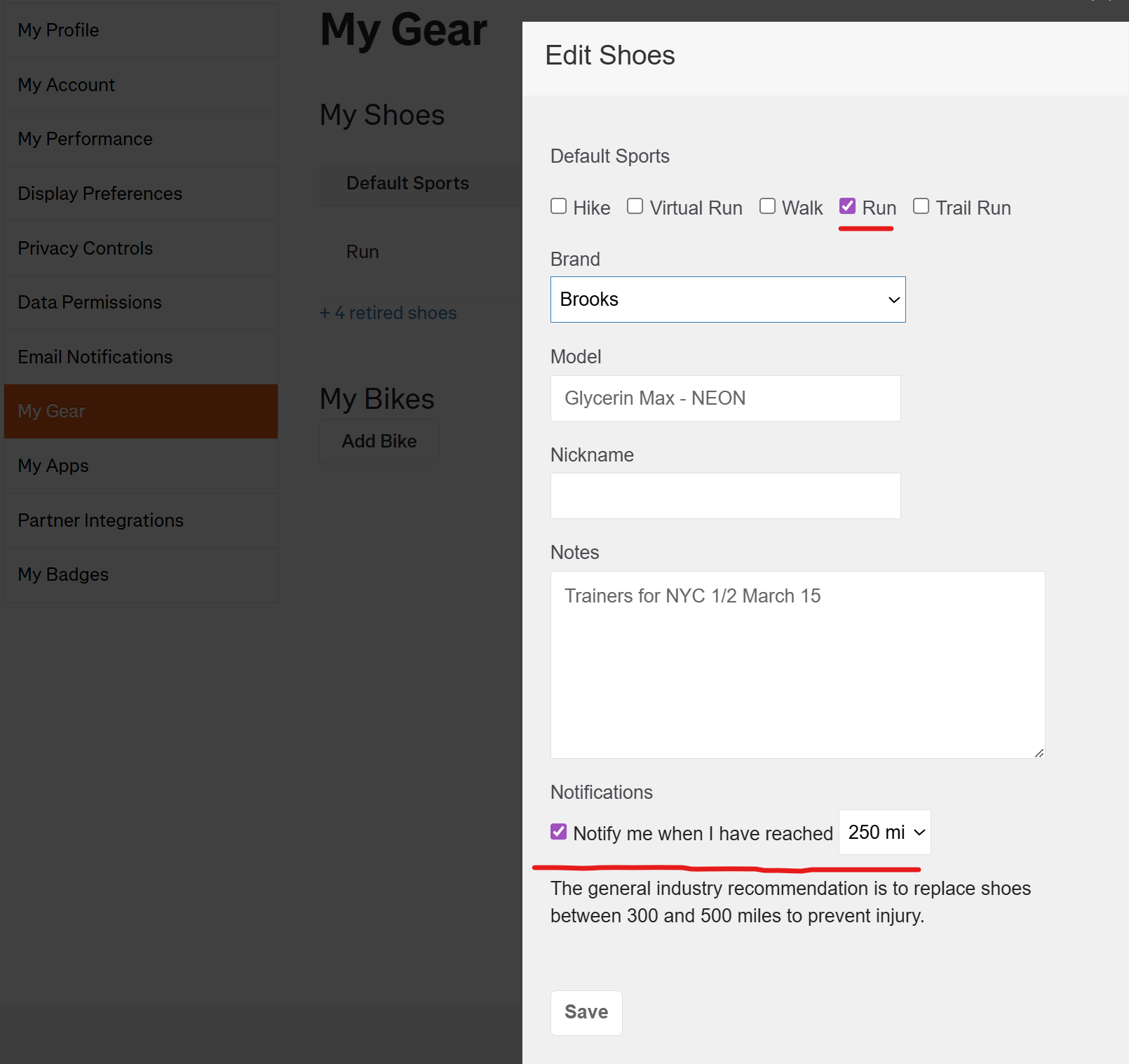 **Here are the steps to do this on Android, iPhone, and Desktop:** **Add Sneakers to Strava** **On Android:** - Open the Strava app. - Tap the "You" tab at the bottom right. - Tap your profile picture at the top left (this is your Profile page). - Look for "Gear" or "My Gear." - If you see it, tap to add your sneakers. - If you don't see it, use the desktop or mobile browser (see below). **On iPhone:** - Open the Strava app. - Tap the "You" tab at the bottom right. - Tap your profile picture at the top left (this is your Profile page). - Look for "Gear" or "My Gear." - If available, tap to add your sneakers. - If not, use the desktop or mobile browser (see below). **On Desktop or Mobile Browser:** - Go to the Strava website and log in. - Hover over your profile picture in the top right corner. - Select "Settings." - Click "My Gear." - Click "Add Shoes" and fill in your sneaker details.
Related Articles
- 2027 NYC Half: Guaranteed Entry, Earned by 33 Seconds - I'm running the 2027 NYC Half on March 21 via guaranteed entry. A 1:31:27 finish earned my spot by j
- 22 Running & Fitness Quotes - Motivation for Your Training Journey - A growing collection of motivational quotes for marathon training, running, and fitness. Find inspir
- Intervals: The Workout That Changed My Running - I did not start with a track, a stopwatch, or a complicated training plan. I started with simple far
- Big Congrats to Terrance Arroyo - Mystic 10K Finisher - Big giant congrats to my coaching client and friend Terrance Arroyo for completing the Mystic 10K. F